Stalled chat
Before
Haha yeah
After
That sounds like a good kind of chaotic. Was this a one-time story or are you usually the planner of the group?
 Firstline
Dating App Writing Assistant
Upload a screenshot or paste the profile, prompt, or chat. Firstline turns the context into specific, natural options you can copy or edit.
For first messages, chat replies, profile rewrites, prompt answers, and the moments where you are not sure what to write.
How It Works
Firstline reads the profile, prompt, or chat in front of you, then gives you options that sound specific instead of canned.
Add the chat, profile, or prompt that has you stuck.
See lines built around the actual context.
Use it as written or make it more playful, direct, or warm.
Coach First
Bring the dating app moment to Coach and get practical wording for the next thing you want to send, post, or edit.
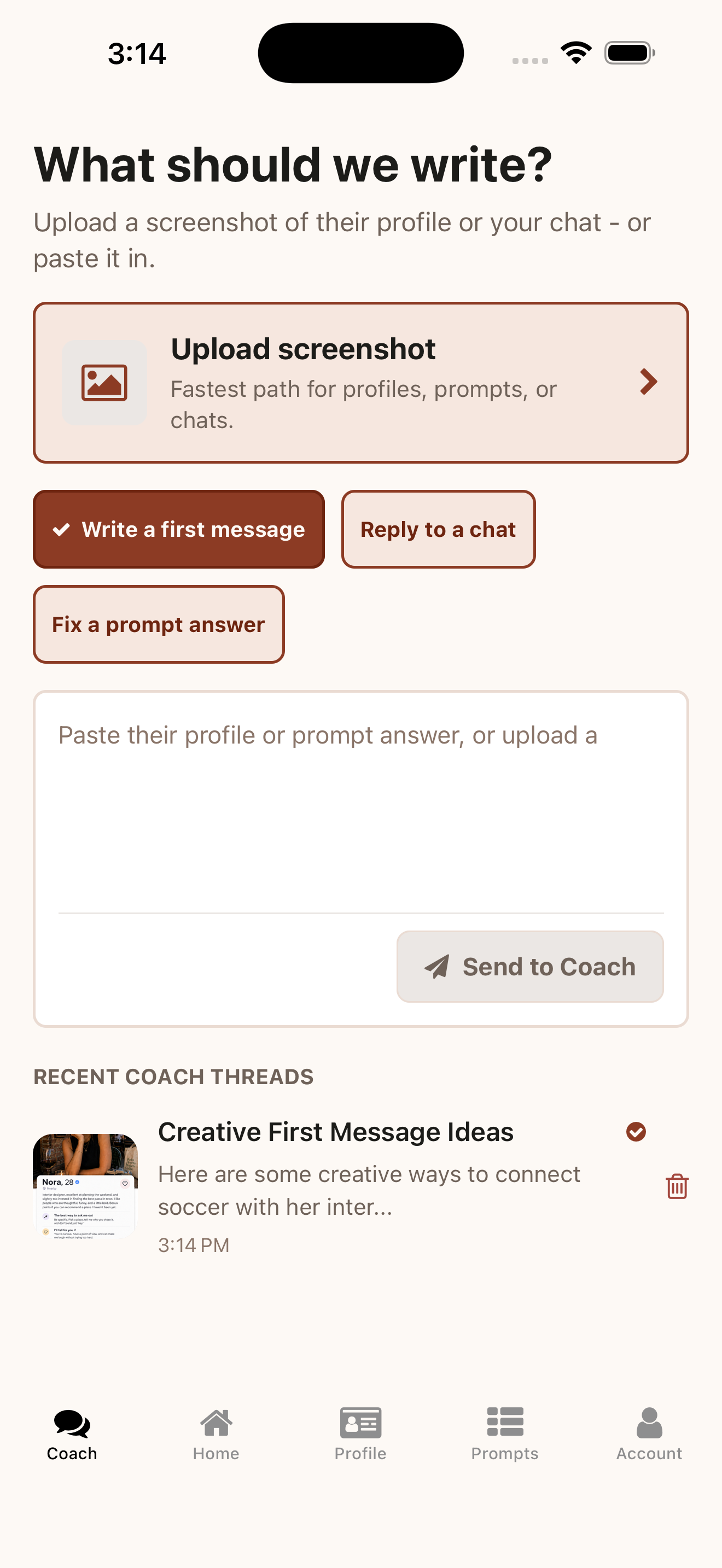
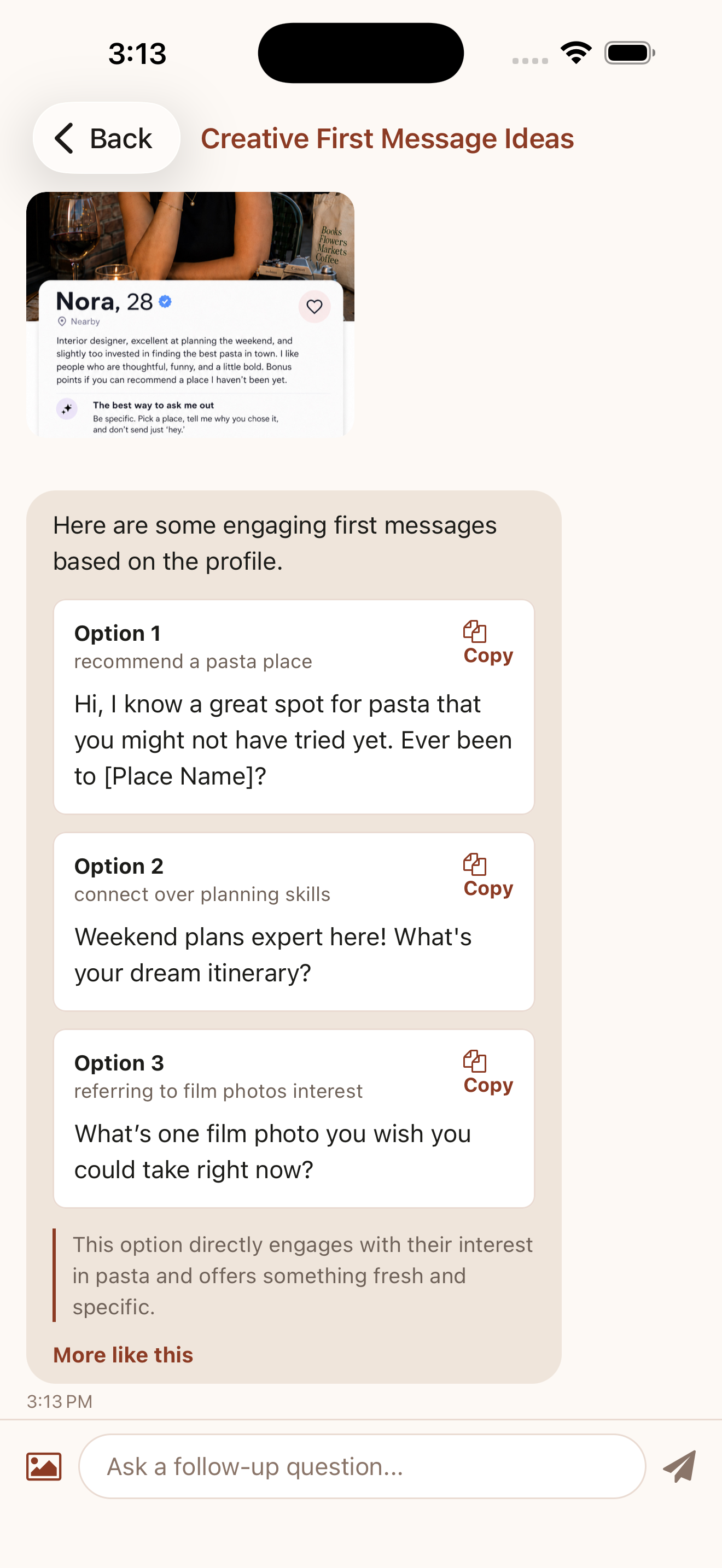
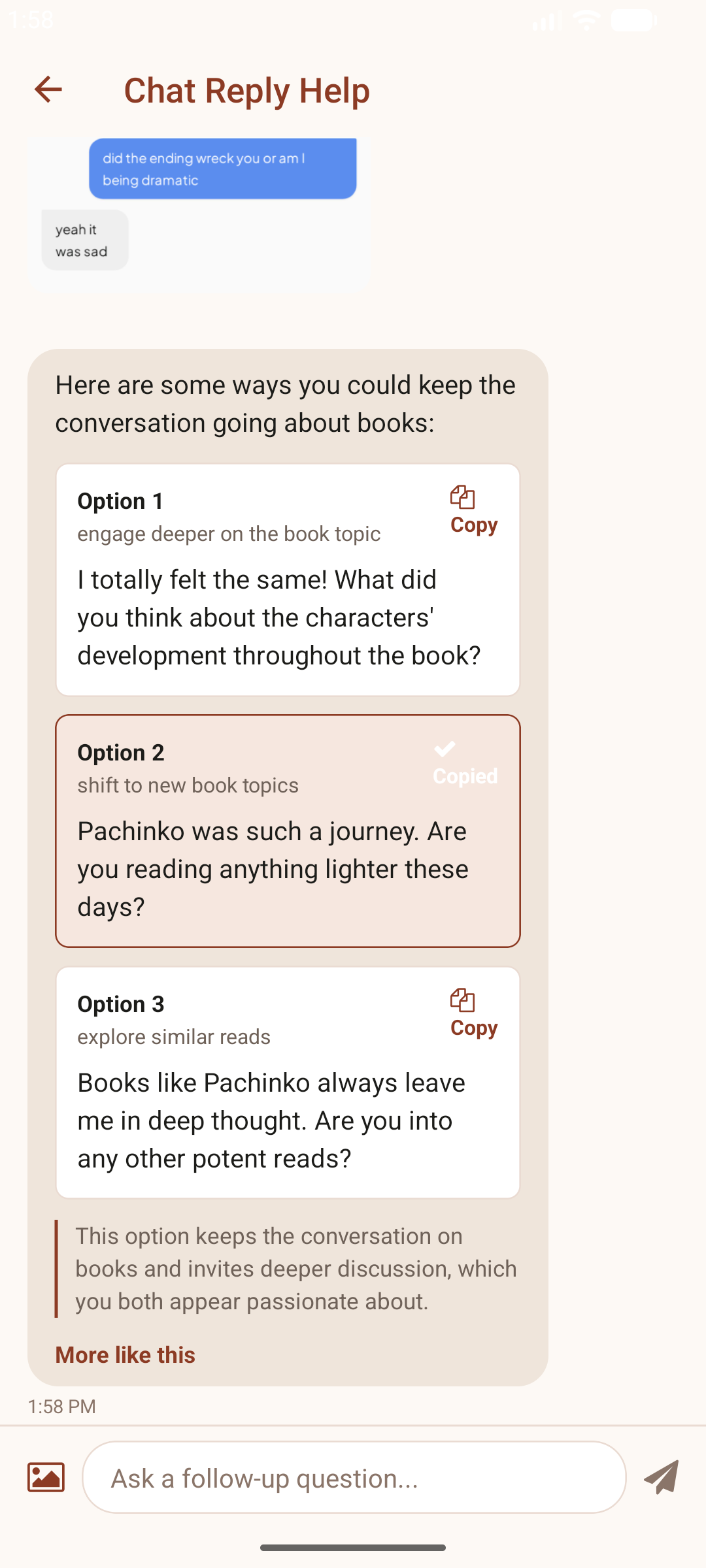
Example
Stalled chat
Haha yeah
That sounds like a good kind of chaotic. Was this a one-time story or are you usually the planner of the group?
Example only. Firstline suggestions vary based on your profile, match, and chat context.
Also Helps With
Turn flat profile details into lines with clearer reply hooks.
Create prompt answers around real details instead of filler.
Use real profile details instead of another generic first message.
Write a next message that fits the tone and context.
Popular Guides
Build a profile around specific details and reply hooks.
See prompt examples that sound natural and easier to answer.
Use first-message examples based on profile details.
Rewrite generic profile lines into stronger conversation hooks.
Use specific, natural examples that make starting a chat easier.
Download Firstline to draft replies, openers, prompt answers, and profile lines from real dating app context.